AI ToolsProcess note
Suno AI Masterclass Part 3: Professional Workflow & Integration
Complete your Suno AI journey with professional workflow techniques. Learn how to export stems, edit in FL Studio, mix AI-generated tracks, and integrate AI music into your production process for release-ready results.
9 min read
Suno AI Masterclass Part 3: Professional Workflow & Integration
Welcome to the final installment of the Suno AI Masterclass! In Part 1, we covered the basics. In Part 2, we mastered advanced techniques. Now let's build a professional workflow that takes your AI-generated ideas to release-ready tracks.
What You'll Learn
- Exporting and organizing your Suno creations
- Stem separation techniques
- Editing AI tracks in FL Studio
- Mixing and mastering AI-generated music
- Legal and ethical considerations
- Building a sustainable workflow
The Professional AI Music Workflow
Overview
Here's the complete workflow from idea to finished track:
Generate in Suno → Export → Separate Stems → Import to DAW →
Edit & Arrange → Add Original Elements → Mix → Master → Release
Step 1: Organized Generation
Before generating:
- Create a project folder:
ArtistName_TrackName_WIP - Subfolders:
Suno_Generations/- Raw AI outputsStems/- Separated audio filesDAW_Project/- FL Studio filesExports/- Final versions
Naming Convention:
TrackName_v1_PromptDescription.mp3
TrackName_v2_PromptDescription.mp3
Example:
SummerVibe_v1_EuphoricHouse128BPM.mp3
SummerVibe_v2_EuphoricHousePiano.mp3
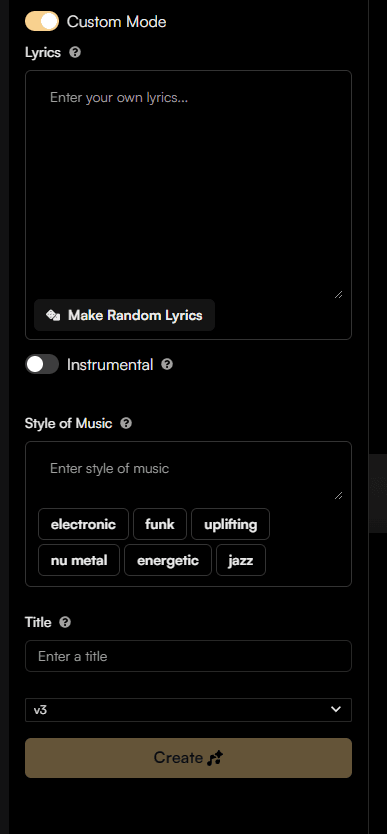
Step 2: Exporting from Suno
Download Options:
- MP3 Download: Standard quality (good for ideas)
- Browser Recording: Higher quality option
- Use audio recording software (Audacity, etc.)
- Record system audio while playing
- Export as WAV for better quality
Best Practices:
- Always download both v1 and v2
- Save with descriptive names immediately
- Keep a text file with the prompt used
Step 3: Stem Separation
Since Suno exports as a single stereo file, you'll want to separate it into components:
AI Stem Separation Tools:
-
Lalal.ai (Recommended)
- High-quality separation
- Vocals, drums, bass, other
- Paid service with free trial
-
Moises
- Mobile and web app
- Good for quick separations
- Free tier available
-
Spleeter (Free, Technical)
- Open-source by Deezer
- Requires command-line knowledge
- Best quality for free option
Separation Strategy:
Original: Full Mix
    ↓
Separate into:
├── Vocals (for editing/replacing)
├── Drums (for layering/enhancement)
├── Bass (for replacement/reinforcement)
└── Other (instruments, synths, etc.)
Pro Tip: Don't expect perfect separation. AI stem separation artifacts are normal and often manageable in a full mix.
Editing Suno Tracks in FL Studio
Import Strategy
Option 1: Use as Foundation
- Import full Suno track
- Build around it with your own elements
- Replace weak sections
Option 2: Extract Ideas
- Import stems separately
- Use Suno elements as layers
- Add your own foundation
Option 3: Chop and Rearrange
- Import and slice into parts
- Reorder sections
- Add transitions
FL Studio Workflow
Step 1: Setup
- Open your FL Studio template
- Set project BPM (match Suno track or your preference)
- Import Suno audio file(s)
Step 2: Timing and Warping
If the Suno track isn't perfectly aligned:
- Right-click audio clip → "Edit sample"
- Enable "Stretch" mode
- Adjust tempo to match project BPM
- Use "Fit to tempo" if needed
Step 3: Arrangement
Mark your sections with playlist track headers:
Intro | Build | Drop | Break | Build 2 | Drop 2 | OutroChop and arrange the Suno audio to fit your structure.
Enhancing AI Elements
Adding Your Own Drums:
Even good Suno drums can be enhanced:
- Layer your own kick underneath
- Add percussive elements for groove
- Replace weak snares with better samples
Bass Enhancement:
Suno bass is often the weakest element:
- Add a sub-bass layer (sine wave)
- Sidechain it to your kick
- EQ to clear up muddiness
Synth and Lead Layers:
- Add your own lead synth on top
- Layer pads for thickness
- Use Suno elements as background texture
Replacing Elements
When to Replace Suno Elements:
| Element | Keep If... | Replace If... |
|---|---|---|
| Vocals | Unique melody, good performance | Off-key, robotic, wrong style |
| Drums | Good groove, fits genre | Weak, generic, wrong tempo |
| Bass | Solid foundation | Muddy, unclear, missing low-end |
| Chords/Pads | Nice progression, good sound | Generic, clashes with other elements |
Replacement Strategy:
- Mute the Suno element in the stem
- Create your own replacement
- Blend if needed (don't always replace 100%)
Mixing AI-Generated Music
Understanding AI Mix Characteristics
Suno-generated tracks often have:
- Over-compressed dynamics (loud but flat)
- Harsh high-end (aggressive EQ)
- Muddy low-mids (bass conflicts)
- Narrow stereo field (mono-ish sound)
Mixing Approach
1. Gain Staging
Start with proper levels:
- Suno track at -12dB to -18dB (headroom)
- Add your elements around it
- Don't clip the master
2. EQ Strategy
Fix common AI EQ issues:
High-End Harshness:
- Cut 2-5kHz if harsh
- De-ess vocals if needed
- Smooth with gentle high-shelf
Low-Mid Mud:
- Cut 200-400Hz on non-bass elements
- High-pass most tracks at 80-120Hz
- Clear space for kick and bass
Bass Definition:
- Boost 60-100Hz for sub (if missing)
- Cut 200-300Hz muddiness
- Add harmonics with saturation
3. Compression
AI tracks are often already compressed:
- Use light compression (2:1 ratio max)
- Focus on controlling dynamics, not squashing
- Parallel compression for punch
4. Stereo Enhancement
Widen the narrow AI mix:
- Stereo widener on pads (30-50%)
- Double-track guitars/synths, pan L/R
- Keep kick, snare, bass centered
Vocal Mixing Tips
If Keeping Suno Vocals:
-
EQ for clarity:
- High-pass 80-100Hz
- Boost 3-5kHz for presence
- De-ess if sibilant
-
Compression:
- Light compression (3:1 ratio)
- Medium attack, medium release
- Level out dynamics
-
Effects:
- Reverb (20-30% wet)
- Delay (1/8 or 1/4 note)
- Optional: saturation for warmth
If Replacing Vocals:
- Record or generate new vocals
- Process with your vocal chain
- Blend with Suno background elements
Mastering AI Music
Pre-Master Checklist
Before mastering, ensure:
- Mix sounds good on multiple systems
- No clipping on any channel
- Headroom of -3dB to -6dB on master
- Balanced frequency spectrum
Mastering Chain
Simple Mastering Setup:
-
EQ (gentle shaping)
- High-pass 20Hz (remove sub rumble)
- Tilt toward brightness if dull
- Cut harsh frequencies
-
Compression (glue)
- Low ratio (1.5:1 to 2:1)
- Slow attack, auto release
- 1-2dB gain reduction max
-
Stereo Widening (optional)
- Enhance width slightly
- Mono-check bass frequencies
-
Limiter (loudness)
- Ceiling: -0.3dB to -1.0dB
- Target: -14 LUFS (streaming)
- Avoid over-limiting (keep dynamics)
Loudness Targets
Platform-Specific Targets:
| Platform | Target LUFS | True Peak |
|---|---|---|
| Spotify | -14 LUFS | -1.0 dBTP |
| Apple Music | -16 LUFS | -1.0 dBTP |
| YouTube | -14 LUFS | -1.0 dBTP |
| SoundCloud | -8 to -13 LUFS | -1.0 dBTP |
Tip: Master at -14 LUFS for universal compatibility.
Building a Sustainable Workflow
Decision Framework
When to Use AI vs. Create from Scratch:
Use AI When:
- Starting from zero ideas
- Need quick inspiration
- Exploring unfamiliar genres
- Creating background music
- Under time pressure
Create from Scratch When:
- You have a clear vision
- Need precise control
- Building your brand/sound
- Learning production skills
- Client work requiring originality
The Hybrid Approach (Recommended)
This is how most successful producers use AI:
AI as Starting Point (20%):
├── Generate initial idea in Suno
├── Export and separate stems
└── Identify strongest elements

Human Production (80%):
├── Import into FL Studio
├── Edit arrangement
├── Add original elements
├── Mix and master
└── Add personal touches
Template Your Workflow
Create FL Studio Templates:
-
"Suno Integration" Template
- Audio track for Suno import
- Sidechain routing ready
- Common processing chains
- Color-coded mixer channels
-
"AI Vocal Production" Template
- Vocal processing chain
- Harmony/aux tracks
- Effect sends configured
-
"AI Instrumental" Template
- Drum rack ready
- Bass channel set up
- Synth tracks prepared
Legal and Ethical Considerations
Understanding the Landscape
Current State (2025):
- AI music copyright is evolving
- Different rules in different countries
- Platform policies vary
- Legal precedents still being set
Best Practices
1. Know the Terms of Service
Suno's terms change. Regularly check:
- Commercial usage rights
- Attribution requirements
- Content ownership
2. Add Substantial Original Content
The more you transform the AI output, the stronger your claim:
- Edit arrangement significantly
- Add your own instruments
- Replace key elements
- Mix and master professionally
3. Be Transparent
Many audiences appreciate honesty:
- Mention AI as a tool in your process
- Share your workflow
- Educate others
4. Don't Rely Solely on AI
Build your skills alongside AI use:
- Learn music theory
- Study sound design
- Practice mixing
- Develop your ear
Platform-Specific Considerations
Spotify/DSPs:
- Generally accept AI-assisted music
- May require disclosure in future
- Distributor policies vary
YouTube:
- Content ID may flag AI music
- Dispute if you have rights
- Keep documentation
SoundCloud:
- More permissive for AI music
- Tag appropriately
Case Study: Real Production Workflow
Project: "Midnight Dreams" - Progressive House Track
The Challenge: Create a release-ready progressive house track with limited time.
The Workflow:
Phase 1: AI Generation (30 minutes)
Prompt: "Melodic progressive house, emotional piano chords,
build-up with white noise riser, euphoric drop with
soaring synth lead, 128 BPM, festival energy"

Generated: 5 variations
Selected: v2 (best chord progression and energy)
Phase 2: Export and Separation (15 minutes)
- Downloaded MP3 from Suno
- Used Lalal.ai to separate stems
- Got: Vocals, Drums, Bass, Other
Phase 3: FL Studio Production (3 hours)
-
Import and Setup
- Set BPM to 128
- Imported all stems
- Color-coded channels
-
Arrangement Editing
- Extended intro (added 8 bars)
- Created longer build-up
- Added breakdown section
- Extended outro for mixing
-
Enhancement
- Added layered kick drum
- Replaced weak Suno bass with Serum patch
- Added white noise risers
- Layered new lead synth on top
- Added vocal chops from Suno vocal stem
-
Effects and Mixing
- Sidechained bass to kick
- Reverb on synths
- Compression on drums
- EQ to fix AI harshness
Phase 4: Mastering (30 minutes)
- Subtle EQ for clarity
- Light compression
- Limiter to -14 LUFS
Result:
- 4-hour total production time
- 70% AI foundation, 30% original content
- Release-ready quality
- Signed to small label
Your Next Steps
Practice Projects
Week 1: Cover to Original
- Generate a track inspired by your favorite artist
- Edit it into a full arrangement
- Replace 50% of elements
- Mix and master
Week 2: Genre Exploration
- Pick a genre you've never produced
- Generate 5 ideas in Suno
- Develop the best one fully
- Learn about that genre's conventions
Week 3: Speed Run
- Create a complete track in one day
- Use AI for foundation
- Focus on quick decision-making
- Release it (even if imperfect)
Building Your AI-Assisted Sound
Develop Your Signature:
- What genres do you love?
- What AI elements work best for you?
- What do you always replace?
- What's your mixing style?
Create Your Toolkit:
- Save successful prompt formulas
- Build FL Studio templates
- Document your workflow
- Share with community
Conclusion: The Future of AI in Music
AI isn't replacing musicians—it's augmenting creativity. The producers who thrive will be those who:
- Master AI as a tool
- Develop strong foundational skills
- Add unique human creativity
- Stay adaptable as technology evolves
Remember:
- AI generates ideas, humans create art
- Technology serves creativity, not replaces it
- Your unique perspective is irreplaceable
- The best results come from human + AI collaboration
Complete Your Learning
Download These Resources
- Music Production Checklist - Ensure professional quality
- FL Studio Template - Start with professional organization
- Avicii Production Secrets - Sound design mastery
Watch Video Tutorials
See these techniques in action on my YouTube channel:
Join the Community
- Instagram: @livvux for tips and behind-the-scenes
- X: @livvux for quick tips and discussions
- YouTube: @livvux for tutorials
The Masterclass Series
- Part 1: The Complete Beginner's Guide
- Part 2: Advanced Techniques & Custom Mode
- Part 3: Professional Workflow & Integration (You are here)
Thank you for completing the Suno AI Masterclass!
Now go create something amazing. 🎵
Questions? Comments? Share your AI music creations with me on social media!
Questions / Answers
Frequently asked questions
Can I separate vocals from instruments in Suno AI tracks?
Suno doesn't provide official stem separation, but you can use AI stem separation tools like Lalal.ai, Moises, or Spleeter to isolate vocals, drums, bass, and other instruments from your Suno-generated tracks.
What format does Suno export in?
Suno exports as MP3 files at 44.1kHz. For higher quality, some users record the audio directly from the browser at higher bitrates. Always keep your original generations before editing.
Do I need to credit Suno AI for music I create?
This depends on Suno's current terms of service and your subscription level. Paid plans typically allow commercial use without attribution, but you should always check the latest terms. Many producers choose to mention AI was used as a tool in their creative process.
Can I use Suno-generated music commercially?
With a paid Suno plan, you generally have commercial rights. However, the legal landscape around AI-generated music is evolving. Consult Suno's terms and consider legal advice for commercial releases. Many producers use Suno as a starting point and add substantial original content.
Want more Livvux songs, breakdowns, and producer diary notes?
Follow my YouTube channel for the music and the process
Stay Close to the Sound
Get new Livvux releases, track breakdowns, producer notes, and useful FL Studio or AI-assisted workflow ideas in your inbox.
About the author

Livvux
Lucas is the producer behind Livvux, creating emotional EDM and showing the process behind the sound. Expect FL Studio workflow, AI-assisted ideas, Avicii-inspired music thinking, and personal track breakdowns.
Continue reading
Related posts
Free Livvux producer resources
Download the checklists, guides, and templates behind my emotional EDM workflow.